What went in
Two documents, both published by the vendors themselves, both used as-is:
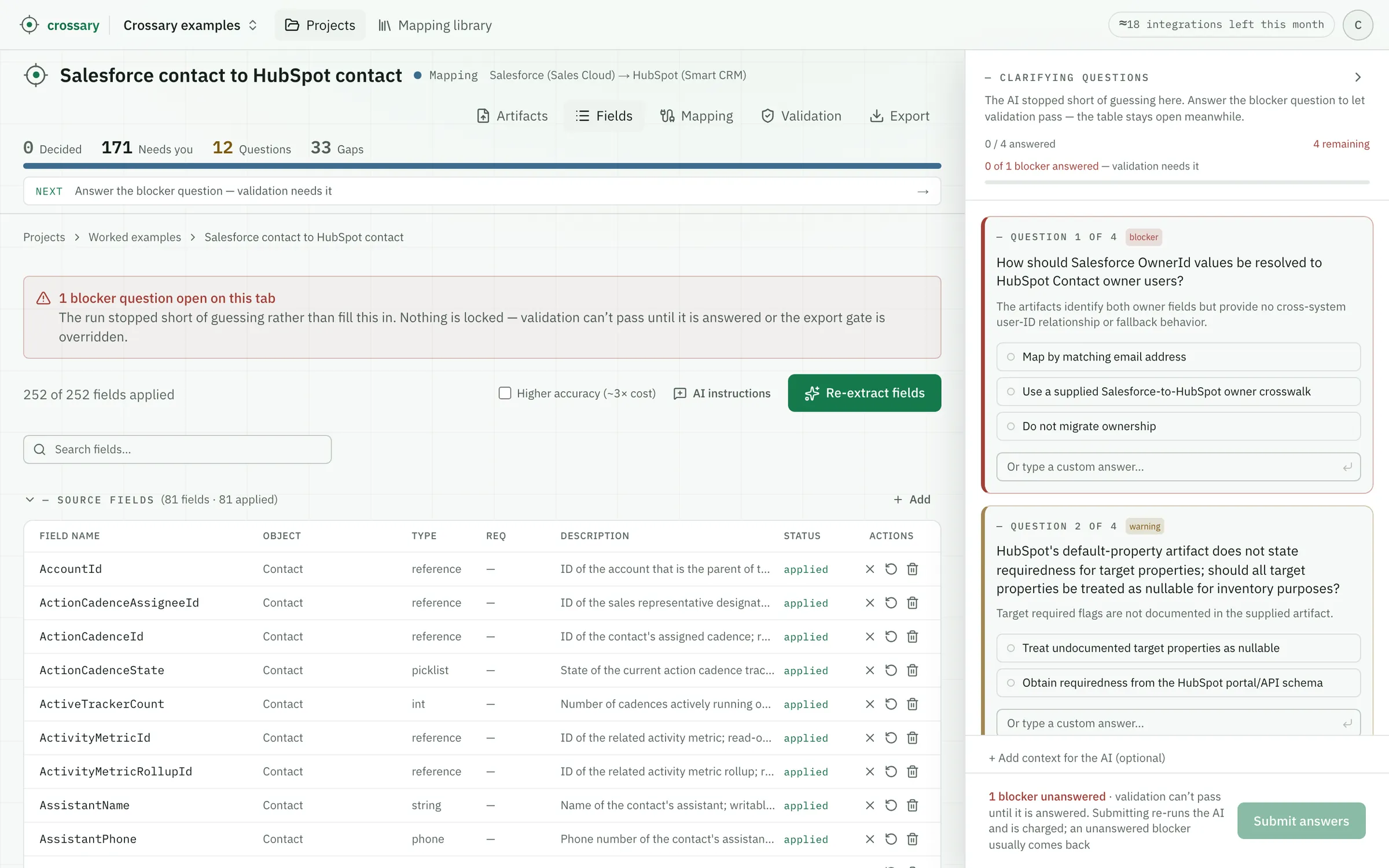
- Source — Salesforce’s Object Reference for the Contact object (API v258.0): 81 standard fields, each with Salesforce’s own type and capability line — a field without Create/Update is read-only in the API, which decides what a migration can even touch.
- Target — HubSpot’s knowledge-base reference for the default contact properties: 171 properties across ten sections, from First name to the analytics, email, and ads state HubSpot writes itself.
Both files were read in full — no truncation, nothing dropped. The extracted inventory held all 81 source fields and all 171 target properties: the first run of the three published examples to inventory both sides completely.
What binding actually means here
This run produced zero transformation rows — no concatenations, no reformatting. Where the two CRMs mean the same thing they nearly share a name, and everything genuinely cross-system came back as a lookup: a rule that needs a crosswalk a human must supply and own. Three rows from the run:
LOOKUP HubSpot owner ID USING Salesforce OwnerId VIA approved user cross-reference
Both fields represent contact ownership, but Salesforce and HubSpot user identifiers require cross-system translation. Assumption, stated on the row: an approved Salesforce-user-to-HubSpot-owner cross-reference will be available.
“the contact's owner. You can assign additional users to the contact record by creating a custom HubSpot user field type property.” — HubSpot, Contact owner
Every record has an owner and no owner survives a CRM switch by copying: the IDs belong to different systems. The row says exactly what is missing — the user crosswalk — and a blocker question below asks who supplies it. Medium confidence, because the rule is only as good as a table that doesn’t exist yet.
Not migrated: set by HubSpot
HubSpot automatically sets this property and does not permit manual editing.
No quote — this row makes no claim about the source document. It says the target system owns the value, which is different from a gap and different from a mapping.
The dominant row of this run: 116 of HubSpot’s 171 default properties are analytics history, email engagement, ads attribution, and calculated state that HubSpot writes itself. Each of those rows is a thing not to migrate — trying to write them is how imported contacts end up with fabricated engagement history.
AccountId identifies a related account but does not emit the company name required by this target.
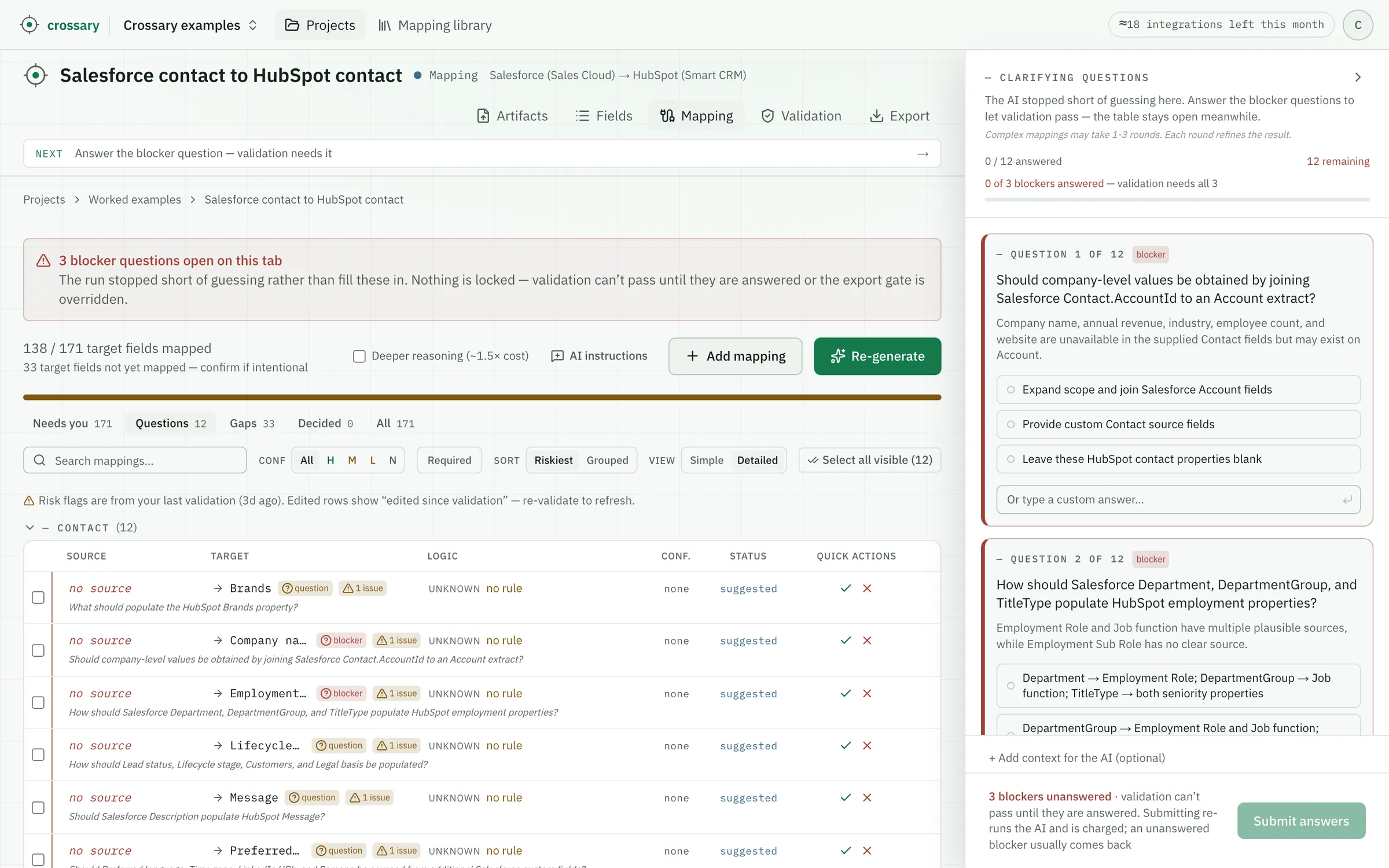
No expression — an abstention has no rule. The draft raised a blocker instead: should company-level values be obtained by joining an Account extract?
The row that shows the draft understood the shape of the data. The company name a HubSpot contact displays lives on the Salesforce Account, reachable only through a join — so instead of mapping the ID into a name field and being confidently wrong, the run abstained and asked whether to expand scope. A wrong mapping is worse than an honest gap.
What came out
Of the 171 HubSpot properties, the run bound 22 to a Salesforce source — 16 near-verbatim matches and 6 crosswalk lookups — explained 116 as HubSpot’s own machinery, and abstained on 33 — raising 16 questions, four of them serious enough to stop on. A tool that returned 171 confident rows here would have invented most of them; the gaps are what make the review of the rest mean something.
Contact
SalesforceHubSpot
138 / 171 target fields mapped
The 22 it bound to a source
Unedited. Confidence is the model’s own self-assessment, a cue for what to review first, never a verification — note that every crosswalk lookup rates itself medium, not high.
| Salesforce | HubSpot | Type | Confidence |
|---|---|---|---|
| MailingCity | City | direct | high |
| OwnerId | Contact owner | lookup | medium |
| MailingCountry | Country/Region | direct | high |
| MailingCountryCode | Country/Region Code | direct | high |
| direct | high | ||
| TitleType | Employment Seniority | lookup | medium |
| Fax | Fax number | direct | high |
| FirstName | First name | direct | high |
| Title | Job title | direct | high |
| LastName | Last name | direct | high |
| MobilePhone | Mobile phone number | direct | high |
| Phone | Phone number | direct | high |
| MailingPostalCode | Postal code | direct | high |
| Salutation | Salutation | direct | high |
| MailingState | State/Region | direct | high |
| MailingStateCode | State/Region Code | direct | high |
| MailingStreet | Street address | direct | high |
| BuyerAttributes | Buying role | lookup | medium |
| LeadSource | Sources | lookup | medium |
| Birthdate | Date of birth | direct | high |
| GenderIdentity | Gender | lookup | medium |
| TitleType | Seniority | lookup | medium |
The four it stopped on
If you have moved a team between these two CRMs, you have had these exact arguments:
- How should Salesforce OwnerId values be resolved to HubSpot Contact owner users?
- Should company-level values be obtained by joining Salesforce Contact.AccountId to an Account extract?
- How should Salesforce Department, DepartmentGroup, and TitleType populate HubSpot employment properties?
- Please confirm the enum crosswalk strategy for Buying role, Sources, Gender, Employment Seniority, and Seniority.
None of these can be answered from the two references. The ownership question decides who gets notified about every migrated contact; the Account join decides whether company fields arrive at all; the enum crosswalks decide whether picklist history survives or collapses to blanks.
What this does not show
- It is not a reviewed workbook. This is raw output. A real deliverable has a human decision on every row; that step is the product, and it hasn’t been done here.
- The 22 are not verified correct. They are proposals with their reasoning attached so you can check them quickly.
- Only 2 of 171 rows carry a verbatim spec quote. Both vendor references describe fields in one-line summaries, so most rows rest on stated reasoning rather than quotation — and both quotes that do exist were verified against the source text before publishing. Where a spec argues its rules at length, as the QuickBooks examples do, the quotes come with it.
- It maps the spec, not your data. Nothing here touched a contact record, and nothing moves anything: Crossary produces the design a developer then implements. Custom fields — where most real Salesforce orgs keep their pain — would come from your org’s own field inventory, not the standard reference.
See this on your own specs
The fastest way to judge this is on a case you know. Email a source and target spec pair — redacted is fine — to support@crossary.com and you’ll get back exactly what this page shows: the draft workbook, gaps and questions included. Not a reviewed deliverable, not a sales call — the honest first pass, on your case.