crossary
How it worksSee it workTrustPricing
Log inStart free
Start free
Source → target field mapping, reviewed

A wrong mapping is worse than an honest gap.

Crossary turns messy source and target specs into a reviewed, implementation-ready mapping workbook — every row backed by its exact source quote, every uncertain one flagged for you. It maps the spec, not the data. Nothing moves until you sign off.

Start free — map your first integrationSee a reviewed row

3 integration credits free · no card · your mappings never train a shared model.

AI proposes · you decide
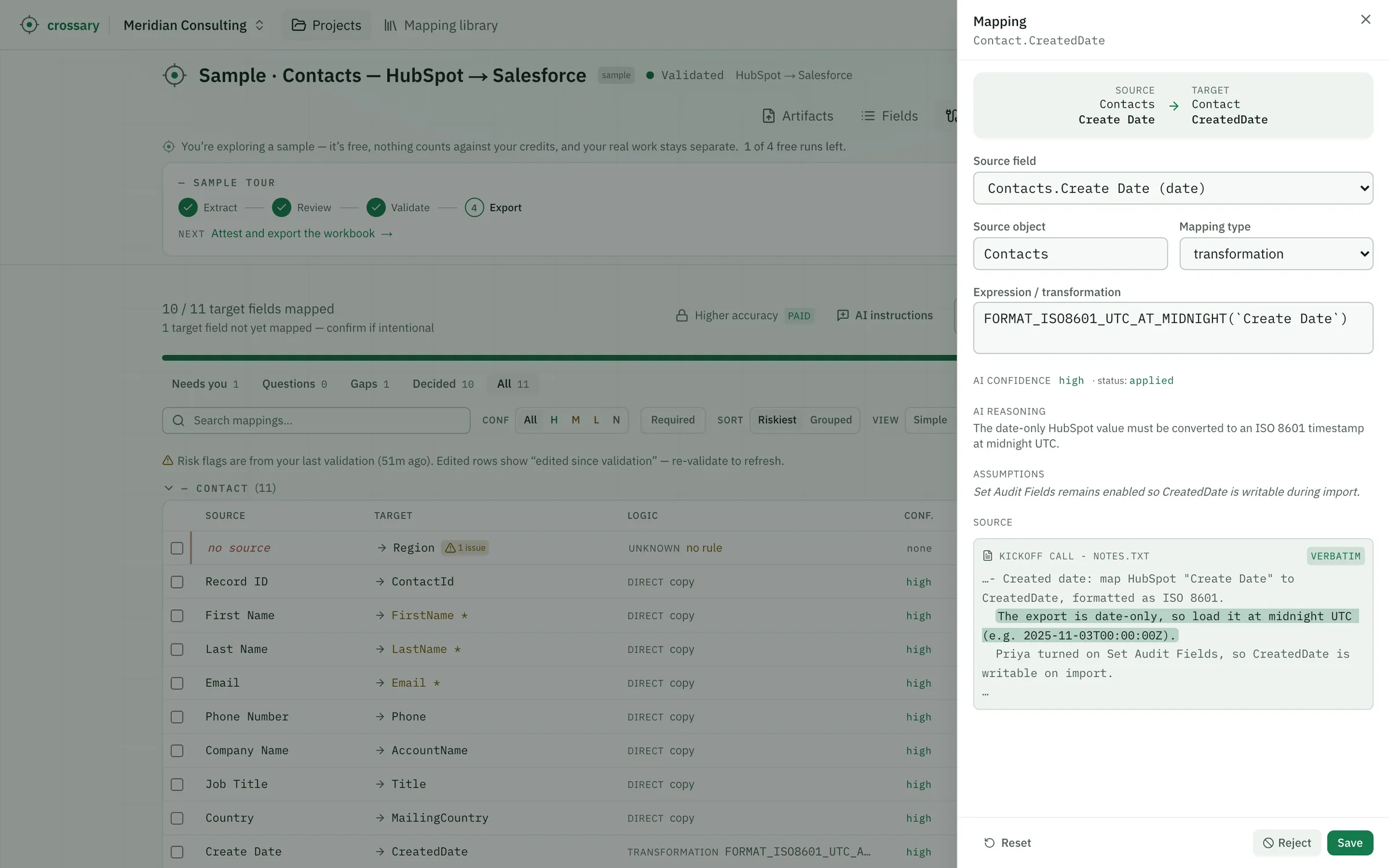
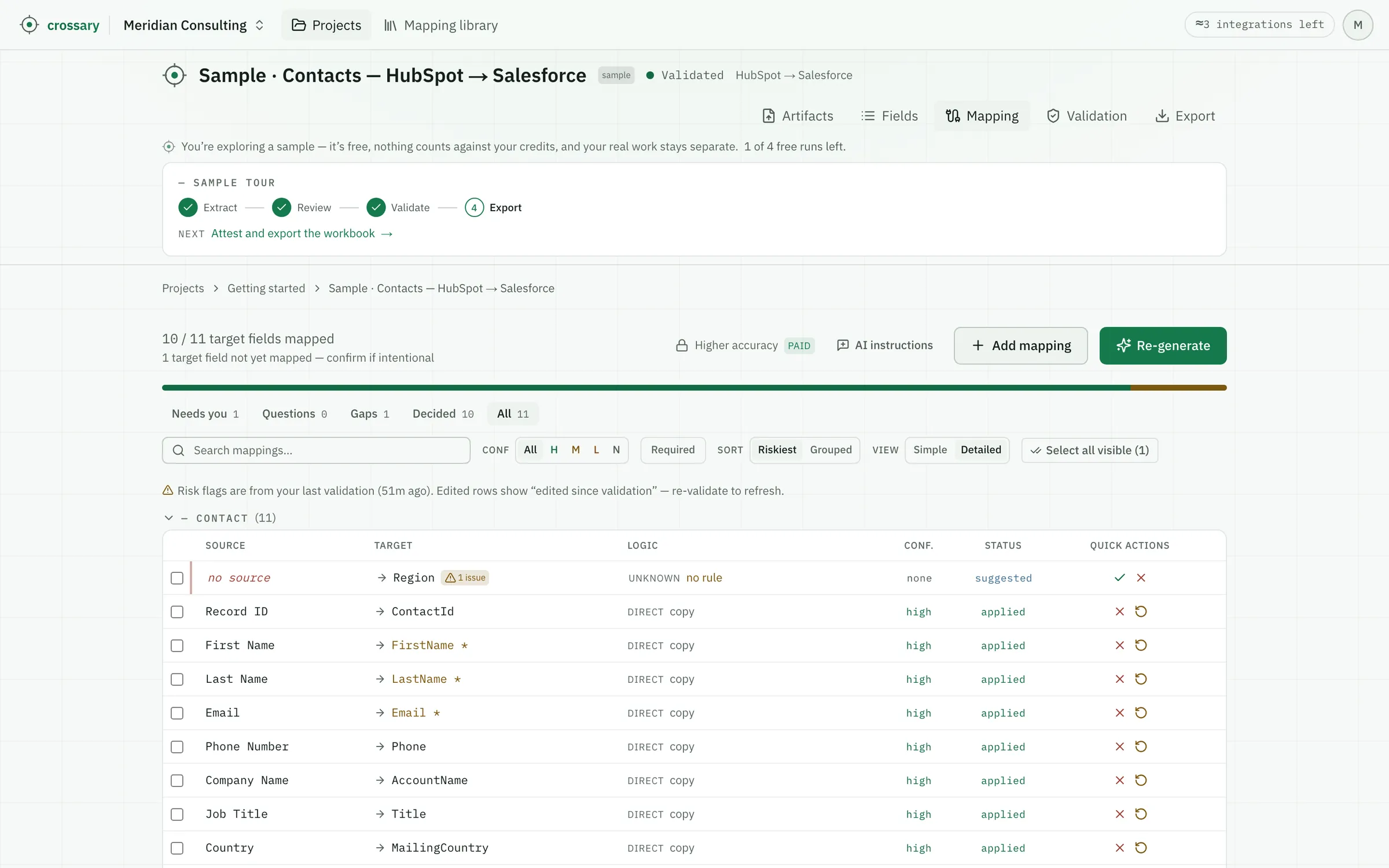
hubspot → salesforce
the sample10 mapped · 1 honest gap · 11 target fields
target fieldhigh confidence
AccountName
← Company Namedirect
“ AccountName — the company. In HubSpot this is "Company Name".
target fieldno confidence
Region
← no clear sourceunknown
?Region (sales territory) isn't in the HubSpot export. Your kickoff notes already decided this — left unmapped here, assigned in Salesforce. Flagging, not guessing it from Country.
readsxlsxpdfcsvjsonxmlxsdsqlyaml
Who it's for

If you hand-build the mapping sheet someone else implements — this is for you.

01
Integration & interface engineers
Mapping heterogeneous specs — PDF, XML, EDI-style guides, Excel — to a target schema.
02
Implementation & onboarding consultants
Turning a client's messy spec into a reviewed workbook on day one — not week three.
03
Data & migration engineers
Building the field inventory and design before any records move.
04
EDI & interface analysts
Turning implementation-guide PDFs into evidence-backed rows where the “why” has to be defensible later.
How it works

A strict five-stage pipeline.
Then a round-trip.

Upload to signed workbook in five steps — and back again, without losing a note.

01
Artifacts

Drop in your source + target specs. If a file can't be fully read, it tells you exactly how much it dropped.

xlsx · pdf · csv · json · xml · xsd · sql · yaml

02
Fields

A field inventory is extracted from both sides — every path, every column — so you map against the real surface.

03
Mapping

For each target: a proposed source, type, verbatim evidence, reasoning, and confidence. Abstains when unsure.

04
Validation

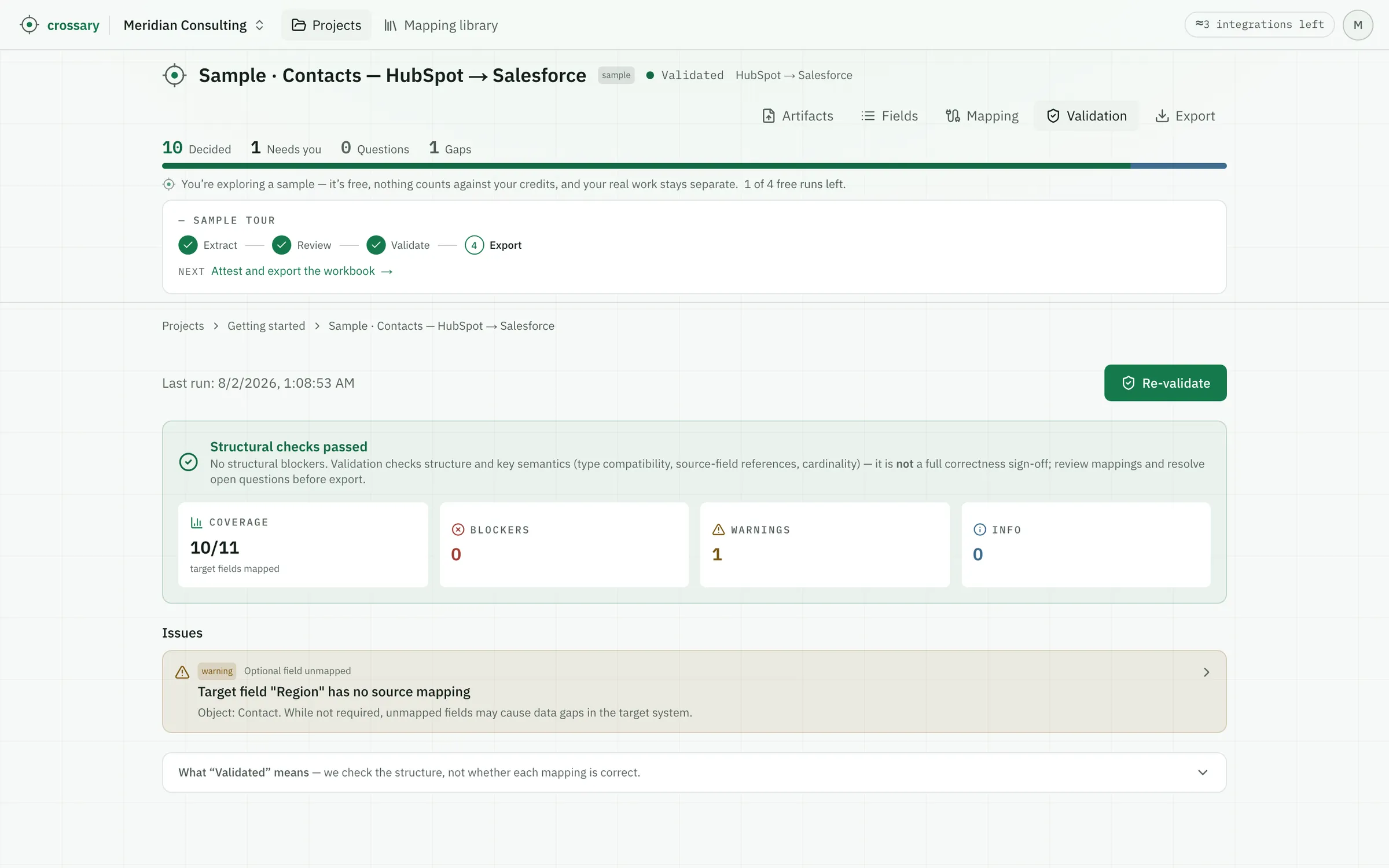
A deterministic check for structural & cardinality blockers. Zero AI, zero spend.

05
Export

A signed .xlsx your team can open anywhere — that reconciles cleanly when it comes back.

Anatomy of a reviewed row

Six things every row tells you.
Nothing taken on faith.

Open any proposed mapping and you see exactly why the AI suggested it — and how sure it says it is. The evidence, not the confidence, is the product.

target field ①
order_date *
confidence ④
high
source field ②
S_SHIP_DATE
mapping type ③
transformation
to_date(S_SHIP_DATE)
evidence — verbatim from the source ⑤
— ship date, ISO-8601 string. Target is a date type.
See it actually happen

The honest gap it won't guess —
and the round-trip that holds.

The real sample, end to end: where the AI withdraws a tempting guess and asks instead, and where your edits survive a trip through Excel and back.

the sample
hubspot → salesforce
target fieldlow confidenceno confidence
Region
←Countryno clear source
No HubSpot field tracks sales territory, and it must not be guessed from Country. The kickoff notes mark this as an accepted, pre-decided gap — so it's flagged, not asked.
?Region (sales territory) isn't in the HubSpot export. Your kickoff notes already decided this — left unmapped here, assigned in Salesforce. Flagging, not guessing it from Country.

When it isn't sure, it says so.

confidence: none · no guess

Mapping memory

Every mapping you approve makes the next one faster.

Sign off an export and your approved field-pairs become a private, workspace-scoped library. On the next run it gap-fills only the targets the AI abstained on — inserted as suggestions you still review, never auto-applied.

  • Scoped to your workspace — it never crosses to another.
  • Captures the decision only — no evidence, values, or client data.
  • It never trains a shared model.
next run · a gap, pre-filled
Industry
library
Trust & data

Trust isn't asked for here — it's enforced in code, and written down.

Guaranteed in code
Honest about what it read

If more than ~10% of a source is dropped during ingestion, it stays flagged — in the app and on the export cover sheet. A partial read is never reported as complete.

“Validated” means one thing

Validation is deterministic and checks structure and cardinality only. It does not claim semantic correctness — and the UI says exactly that.

Never loses your note

On re-import it applies what matched, skips what changed underneath you, and turns every reviewer note into a tracked question. Nothing is silently overwritten.

Schema-validated, or rejected

Every AI response is checked against a strict schema before it can touch your data. A malformed result is thrown away, never persisted.

Your data
Specs in, not your records

Crossary maps from your source and target specs — schemas, dictionaries, guides. It's built to work from the spec, not your data, so in most cases there's no need to upload production records or PII.

Pricing

Start free. Pay for AI runs, never for reviewing.

Reviewing, validating, exporting, and round-trip re-import don't call the AI — so they're always free, on every plan.

Free
$0

For your first real integration.

Start free
  • 3 integration credits
  • Free review, validate & export
  • Round-trip re-import
  • Mapping Memory included
  • 1 workspace · up to 2 members
Most teams start here
Pro
$99/ month

~20 integrations a month.

Start with Pro
  • Everything in Free
  • ~20 integration credits / mo
  • Higher-accuracy pass
  • Unused credits roll over
  • 3 workspaces · up to 3 members
Team
$399/ month

~75 integrations a month.

Start with Team
  • Everything in Pro
  • ~75 integration credits / mo
  • Unlimited workspaces · up to 10 members

Plus applicable taxes.

Run out? Existing work is never blocked — review, validate, export & re-import stay free. Unused credits roll over, you can buy more anytime, or upgrade. Only new AI runs pause.

Questions, answered straight

The honest answers, before you sign up.

What's a credit?

Roughly one standard integration. Higher Accuracy and unusually large or heavily re-run jobs use more — and you can see what each integration cost.

What's always free?

Reviewing, validating, exporting, and round-trip re-import. They don't call the AI, so they never use a credit.

Is accuracy gated to higher plans?

Every plan gets the same core mapping quality. Higher Accuracy — an optional, heavier pass — is on paid plans; Mapping Memory is included on every plan.

What happens when I run out?

Existing work is never blocked — review, validate, export and re-import stay free. Unused credits roll over, you can buy more anytime, or upgrade. Only new AI runs pause.

How do I upgrade?

Click subscribe on the plan you want — secure checkout, and your plan activates immediately.

Does my data train your model?

No. Mapping Memory is scoped to your workspace and never crosses it; no shared model learns from your mappings.

Map your first integration
in the next ten minutes.

Upload a source and a target spec. Get back a reviewed, evidence-backed workbook — with every honest gap flagged for you.

Start free

3 integration credits free · no card · no lock-in.

crossary

Field mapping that shows its work — and flags the gaps instead of guessing.

Product
The reviewed rowHow it worksPricing
Trust
Trust mechanicsFAQPrivacy & data
Company
SupportTermsLog in
© 2026 Crossary. All rights reserved.AI proposes · you decide · nothing ships you didn't approve.
the round-trip

Export is a signed workbook, not a locked app view.

Hand it to a developer or a client. Edit it in Excel, Google Sheets, or Numbers — change decisions, add notes — then re-import. Crossary applies what matched, skips rows that moved underneath you instead of overwriting them, and turns every note into a tracked question.

  1. Export
    A signed .xlsx — every row stamped with a stable id.
  2. Edit anywhere
    In Excel, Google Sheets, or Numbers — no Crossary login required.
  3. Re-import
    Applies what matched, skips what moved, never loses a note.
“
S_SHIP_DATE
order_date
”
source spec · sheet 1 · row 14
reasoning & assumptions ⑥

Names and semantics align; the only change is a string→date cast. Assumes the source string is well-formed ISO-8601 — flagged for your review.

read it like a reviewer
①
The target field
What you're mapping to. An amber * means required.
②
The proposed source
The real field it pulls from — or blank, if nothing fits.
③
Mapping type
Direct, transformation, constant, lookup, conditional, generated — or unknown.
④
Confidence
The AI's own certainty — high, medium, low, or none. A triage cue, not a guarantee; weigh it against the evidence.
⑤
Verbatim evidence
The exact source quote it's based on, with its location.
⑥
Reasoning & assumptions
Why — and every assumption it made, surfaced for you to challenge.
← industry_vertical
suggested

Reused from a pair you approved before — it fills a gap the AI would otherwise abstain on, and still waits for your sign-off.

Yours to export or delete

Export everything, or delete it per record — any time, self-serve. GDPR portability and erasure are built in, not a support ticket.

Sent only to run the AI

Specs go to the AI only to run your job — held briefly for abuse checks, then deleted, and never used to train a shared model.

Subprocessors in the open

The full list of subprocessors is published, and we give notice before it changes. Nothing about where your data goes is a secret.

Read the full privacy & data terms →

TermsPrivacyCookiesSubprocessorsDPA