What went in
Two documents, both published by the vendors themselves, both used as-is:
- Source — Intuit’s QuickBooks Online Accounting API reference for the Customer entity, the same document the NetSuite example ran on.
- Target — Microsoft Learn’s reference for the Business Central Customer table (table 18) — 170 fields with types and descriptions, including the FlowFields Business Central computes at read time.
Both files were read in full — no truncation, nothing dropped. The extracted inventory held 55 source fields and 157 of the 170 target fields; twelve of the thirteen it left out are computed document-counters, and the one stored field it genuinely missed (Collection Method) is recorded in the run’s provenance rather than papered over.
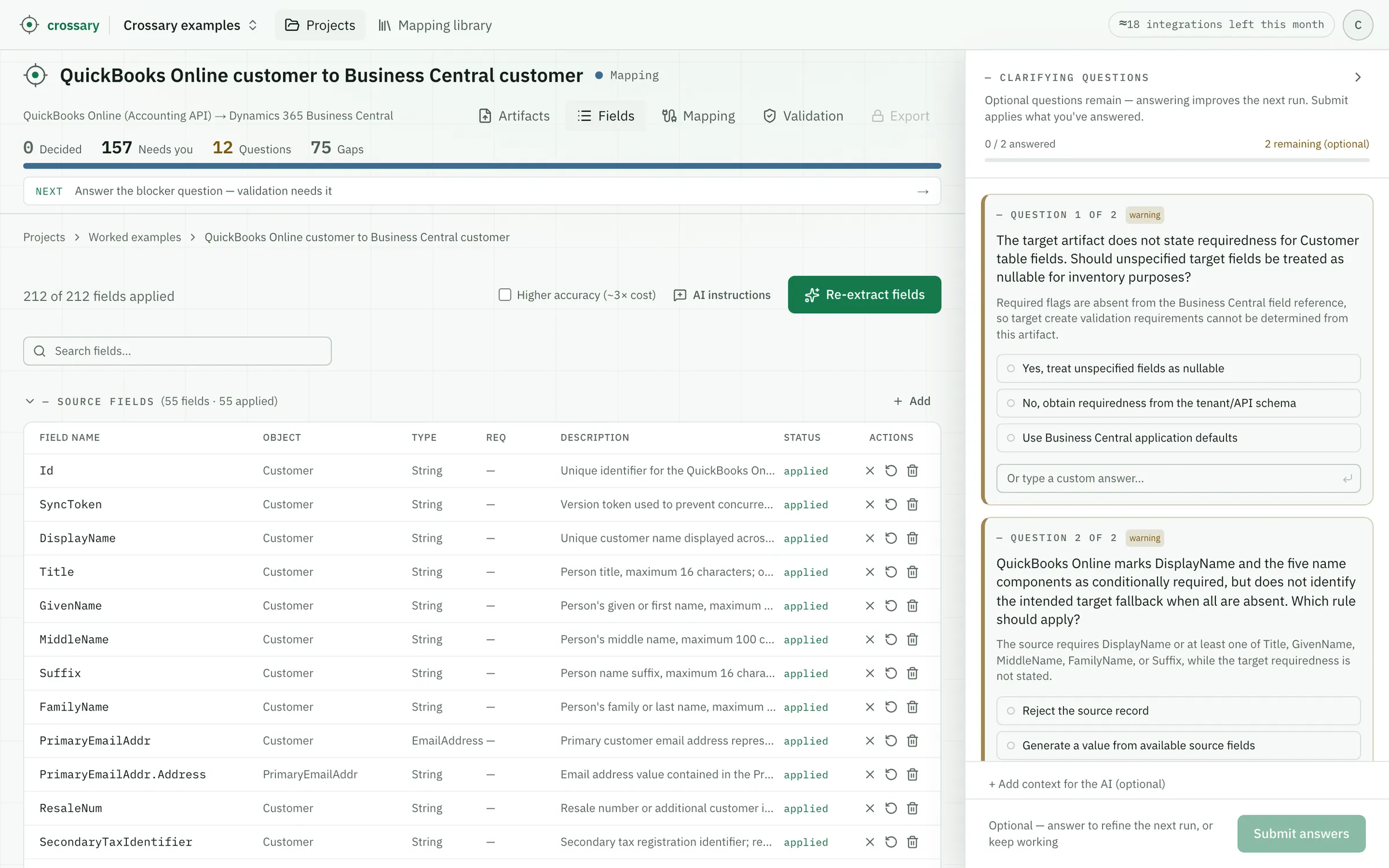
How you check a row in ten seconds
The practitioners we talk to say the failure mode in real migrations is the review, not the mapping — a tidy sheet invites a rubber-stamp. So every derived rule carries the verbatim line from the vendor document it rests on, next to the rule. You judge the source, not the model. Three rows from this run:
COPYSTR(COALESCE(NULLIF(TRIM(CONCAT_WS(' ', Title, GivenName, MiddleName, FamilyName, Suffix)), ''), DisplayName), 1, 100)
The person-name components form the primary contact name, with DisplayName as a fallback for organization-only records.
“If not supplied, the system generates DisplayName by concatenating customer name components supplied in the request from the following list: Title, GivenName, MiddleName, FamilyName, and Suffix.” — QuickBooks Online
Five QuickBooks name parts funnel into one Business Central field, with a fallback and a length cap — and the quote is what lets a reviewer confirm the concatenation order came from Intuit’s document, not from imagination.
IF Active = true THEN <unblocked enum value> ELSE <fully blocked enum value>
The inverse of QBO Active determines whether the migrated customer should be blocked for Business Central transactions.
“If true, this entity is currently enabled for use by QuickBooks.” — QuickBooks Online, Active
A polarity flip into an enum, not a boolean — Business Central blocks customers by degree (ship, invoice, all). Copy it across without the inversion and every active customer arrives blocked.
Not migrated: computed by Business Central
This Business Central FlowField is calculated from customer ledger entries in local currency.
No quote — this row makes no claim about the source document. It says the target system owns the value, which is different from a gap and different from a mapping.
The row that stops a classic migration mistake: loading a snapshot balance into a field the system computes from ledger entries. Sixty-four rows in this run say some version of “Business Central produces this itself” — number series, FlowFields, Microsoft Graph identities — each one a thing not to migrate.
What came out
Of the 157 Business Central fields, the run bound 18 to a QuickBooks source, explained 64 as Business Central’s own machinery, and abstained on 75 — raising 15 questions, seven of them serious enough to stop on. QuickBooks Online simply has no posting groups, no dimensions, no number series, no VAT registration split; a tool that returned 157 confident rows here would have invented most of them — and every invented row is one a reviewer has to catch. The gaps are what make the review of the rest mean something.
Customer
QuickBooks OnlineBusiness Central
82 / 157 target fields mapped
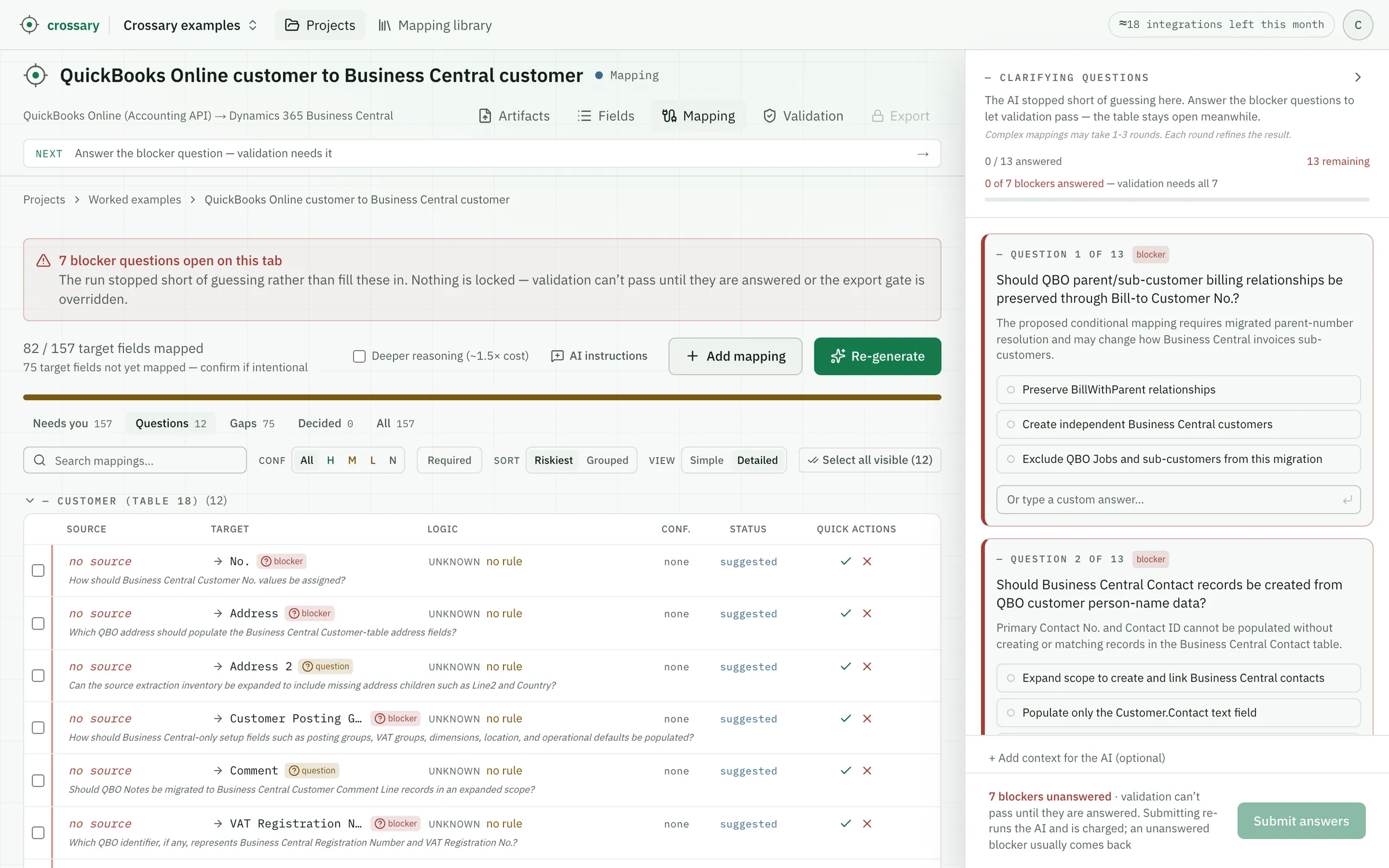
The 18 it bound to a source
Unedited — each one checkable the way the three above were. Confidence is the model’s own self-assessment, a cue for what to review first, never a verification.
| QuickBooks Online | Business Central | Type | Confidence |
|---|---|---|---|
| Active | Blocked | conditional | high |
| GivenName + name parts | Contact | transformation | high |
| PrimaryEmailAddr.Address | transformation | high | |
| Fax | Fax No. | transformation | high |
| WebAddr | Home Page | transformation | high |
| Mobile | Mobile Phone No. | transformation | high |
| PrimaryPhone.FreeFormNumber | Phone No. | direct | high |
| DisplayName | Search Name | transformation | high |
| Taxable | Tax Liable | direct | high |
| ParentRef | Bill-to Customer No. | conditional | medium |
| CurrencyRef | Currency Code | lookup | medium |
| CurrencyRef | Currency Id | lookup | medium |
| PreferredDeliveryMethod | Document Sending Profile | lookup | medium |
| CompanyName | Name 2 | transformation | medium |
| PaymentMethodRef | Payment Method Code | lookup | medium |
| PaymentMethodRef | Payment Method Id | lookup | medium |
| SalesTermRef | Payment Terms Code | lookup | medium |
| SalesTermRef | Payment Terms Id | lookup | medium |
The seven it stopped on
If you have moved a company off QuickBooks into Business Central, you have had these exact arguments:
- How should Business Central-only setup fields such as posting groups, VAT groups, dimensions, location, and operational defaults be populated?
- How should Business Central Customer No. values be assigned?
- Should Business Central Contact records be created from QBO customer person-name data?
- Which QBO address should populate the Business Central Customer-table address fields?
- Please provide or confirm the Business Central reference-data crosswalks for document profiles, currencies, payment terms, and payment methods.
- Which QBO identifier, if any, represents Business Central Registration Number and VAT Registration No.?
- Should QBO parent/sub-customer billing relationships be preserved through Bill-to Customer No.?
None of these can be answered from the two references — the posting-group question alone decides which G/L accounts every migrated transaction posts to. Microsoft’s own migration guidance says to plan the account mapping before migrating; these questions are that plan, written down before anything moves.
What this does not show
- It is not a reviewed workbook. This is raw output. A real deliverable has a human decision on every row; that step is the product, and it hasn’t been done here.
- The 18 are not verified correct. They are proposals with their evidence attached so you can check them quickly.
- One question critiques the run’s own input. The extraction did not decompose QuickBooks’ address object into all its children, and rather than map around the hole, a row asks for the source inventory to be expanded. An honest draft flags its own blind spots too.
- It maps the spec, not your data. Nothing here touched a customer record, and nothing moves anything: Crossary produces the design a developer then implements.
See this on your own specs
The fastest way to judge this is on a case you know. Email a source and target spec pair — redacted is fine — to support@crossary.com and you’ll get back exactly what this page shows: the draft workbook, gaps and questions included. Not a reviewed deliverable, not a sales call — the honest first pass, on your case.